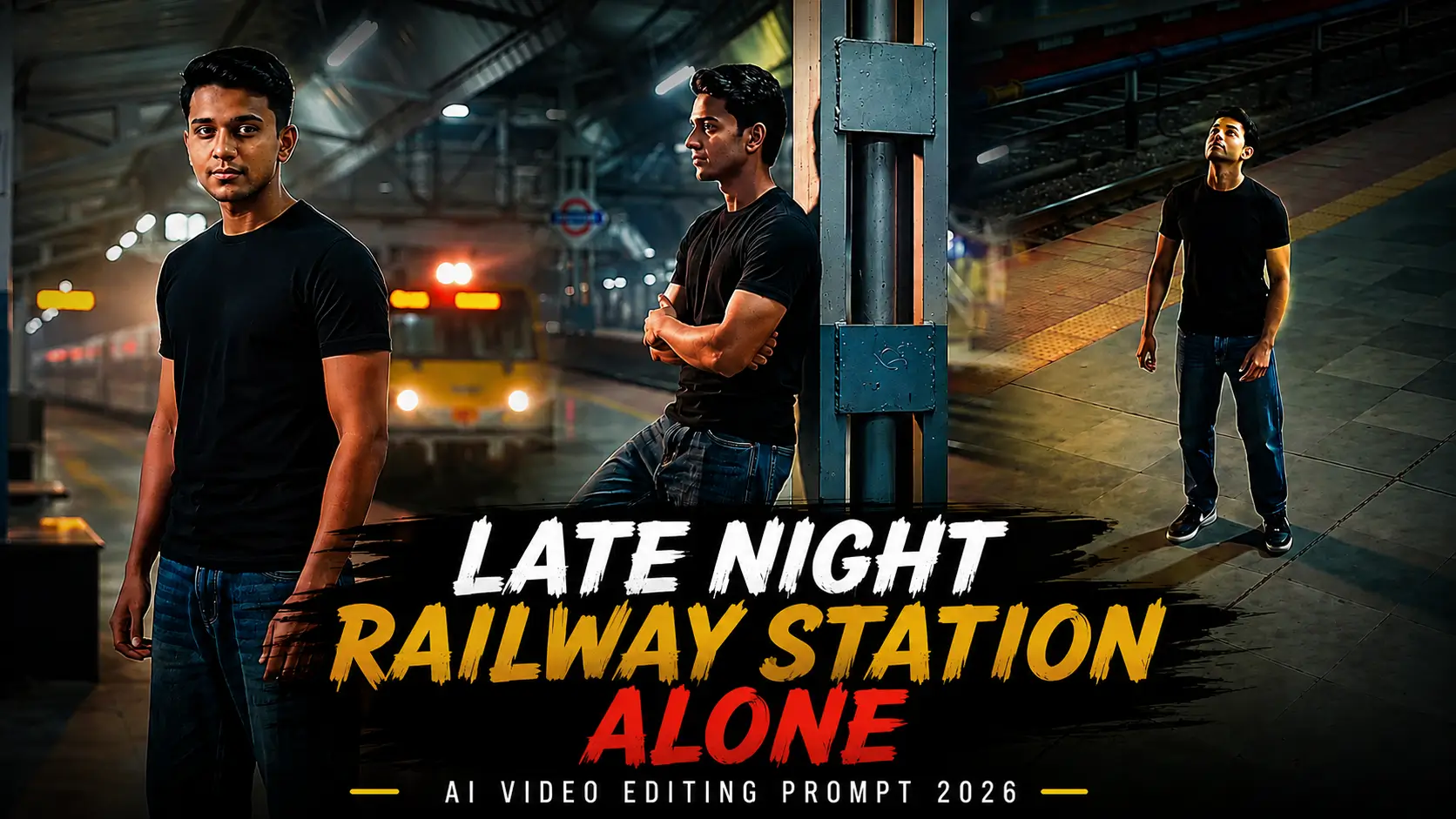
Late Night Railway Station Alone AI Video Editing Prompt 2026
ByRaja Soni
The Late Night Feelings Railway Station Alone AI Video Editing Prompt is trending for creating emotional and cinematic AI videos. It gives your photo a lonely railway station look with night lights, a quiet platform, and a deep emotional mood.
You can use this prompt with an AI video editing tool to turn your normal photo into a realistic late-night railway scene.
What is Late Night Feelings Railway Station Alone AI Video Editing?
This AI video editing trend shows a person alone at a railway station during the late night. The person can sit on a bench, stand near the railway track, or look at a train from a distance. The AI adds cinematic lighting, background movement, train effects, shadows, and a realistic night atmosphere. The main goal is to create a video that feels emotional, quiet, and natural.
Why Late Night Railway Station AI Videos Are Trending?
Late-night railway station videos create a strong emotional feeling. The empty platform, dim lights, and moving train can make the video look like a scene from a movie.
Many people use this style for Instagram Reels, TikTok videos, YouTube Shorts, and status updates.
The trend also works well because you can use your own photo and turn it into a completely different cinematic scene.
Best Late Night Feelings Railway Station Alone AI Video Editing Prompt
AI Prompt
“A cinematic ultra-realistic 4K/8K vertical video (9:16) of a young man wearing a fitted black t-shirt, baggy relaxed-fit denim jeans, and black Nike sneakers, at a real Indian railway station at night, lit by warm amber platform lights, glowing signboards, and soft train headlights cutting through light haze/fog, moody premium aesthetic, professional film-grade cinematography. CRITICAL: use the uploaded reference photo as the exact identity source — same face, same facial features, same exact skin tone and skin texture as the person in the uploaded photo, same body, maintained precisely in every scene, zero identity variation between scenes. This must work accurately for any person of any age or skin tone who uploads their own reference photo.
Scene 1 (Overhead-tracking, foot-over-bridge): Camera glides behind and slightly above him as he walks down the covered bridge at night, warm amber lights reflecting off the tactile flooring, train lights glowing on the tracks far below, soft atmospheric haze, cinematic wide depth.
Scene 2 (Eye-level static, bench): He walks to a platform bench lit by a single overhead lamp, sits down slowly with relaxed premium posture — one arm draped over the backrest, ankle resting on opposite knee, head tilted slightly as he watches a distant lit train — golden lamplight on one side of his face, the rest in soft shadow, a quiet aesthetic pause.
Scene 3 (Low-angle close-up, platform edge): Camera positioned low, looking up at him as he stands at the platform edge, hands in pockets, chin slightly lowered then slowly raising to look into the distance, silhouette rim-lit by a signboard glow behind him, dramatic minimalist framing.
Scene 4 (Side-tracking dolly, train-side walk): Camera tracks smoothly alongside him at chest height as he walks beside a parked train, the train’s window lights flickering past like a rhythmic pattern, his black t-shirt catching soft blue-white light from the coach interiors, sleek motion.
Scene 5 (High-angle overhead, empty platform): Camera looks down at a steep angle as he stands still in the center of the empty platform, arms loose at his sides, head tilted back looking up at the station lights above, long shadow stretching across the platform floor, symmetrical aesthetic composition.
Scene 6 (Close-up profile, leaning pose): He leans back against a station pillar, one knee bent with his foot against the base, arms folded loosely, looking off to the side with a calm confident half-smile, warm sodium light grazing the side of his face, soft bokeh of distant platform lights behind him.
Scene 7 (Slow-motion push-in, final frame): Camera slowly pushes in toward him as he stands facing the tracks, a goods train’s headlight sweeping past and briefly illuminating his face in bright warm light before fading back to soft ambient glow, cinematic slow-motion finish, powerful and aesthetic closing shot.
Overall style: same face, same identity, same exact skin tone, same body, same fitted black t-shirt, baggy denim jeans and black Nike shoes outfit consistent in every scene, no identity change, same real night-time railway station location throughout — foot-over-bridge, platform bench, platform edge, train-side walkway, open platform, and pillar — natural realistic movement with distinct aesthetic poses and camera angles in every scene including the seated scene, realistic skin and fabric texture, moody warm-amber and cool-blue night cinematic color grading, soft atmospheric haze and light glow, filmic depth, grain, and contrast, smooth deliberate cinematic transitions between angles, ultra-realistic premium 4K/8K quality, vertical 9:16 format, continuous aesthetic story flow from start to end, no scene skipped.”
Features of Late Night Feelings AI Video Editing
Cinematic Railway Station Look
The prompt creates a realistic railway station at night. Dim lights and an empty platform help create the right mood.
Lonely Night Atmosphere
The main focus is the feeling of being alone. The quiet platform, dark sky, and empty tracks make the scene more emotional.
AI Motion Effects
AI can add small movements to your photo. Your clothes, hair, train, lights, and background can move naturally.
Train and Background Effects
A slow-moving train can appear in the background. You can also add station lights, fog, reflections, and distant objects.
Slow Motion & Smooth Transitions
Slow camera movement makes the video look more natural. It also gives the scene a cinematic feeling instead of making it look like a simple photo animation. Also check: Viral Cinematic Mountain AI Video Prompt.
How to Create This AI Video
First, choose a clear photo of yourself. A photo with your full body or upper body can give the AI more information.
Upload the photo to your preferred AI video editing tool. Add the prompt and select an image-to-video option if available.
Generate the video and check the face and body carefully. If the result changes your face, try generating it again with a stronger identity-preservation instruction.
Tips for a Realistic Result
Use a high-quality photo with good lighting. Avoid photos where your face is hidden or heavily blurred. Keep the movement slow. Too much movement can make the face, hands, or body look unnatural. You can also change the scene by adding rain, heavier fog, a departing train, or a more empty platform.
If you want a stronger emotional effect, ask the AI to keep your expression calm and thoughtful instead of adding an exaggerated sad expression.
Common Issues
AI video tools can sometimes change facial details or create unnatural body movements.
Here are some common problems:
Face changes during the video
Hands or fingers look unnatural
Train movement looks unrealistic
Background objects may move incorrectly
Too much camera movement can reduce quality
Low-quality photos may create blurry results
If you face these problems, use a clearer image and generate the video again with simpler movements.
Conclusion
The Late Night Feelings Railway Station Alone AI Video Editing Prompt is a simple way to create an emotional cinematic video from your photo. The combination of a quiet railway station, night lights, an empty platform, and a slow-moving train creates a strong mood.
Use a clear photo, keep the movement natural, and use the prompt above to create your own late-night railway station AI video.
Want to turn a blurry 144p video into a clean 1080p-style edit in just a few taps? The 144p to 1080p Trending Video CapCut Template is one of the latest viral editing trends on Instagram Reels, TikTok, and YouTube Shorts. This template creates a dramatic quality transformation effect. Your video starts with a low-resolution look…
If you want to turn a simple mountain photo into a stunning cinematic video, the right AI prompt can make a big difference. Gemini can help create realistic camera movement, natural lighting, atmospheric effects, and a movie-like mountain scene. In this guide, you’ll get a Viral Cinematic Mountain View AI Video Editing Prompt for Gemini…
Are you looking for a creative way to make your year-end video? The End-of-Year 2026 CapCut Template Tum Yaad Aate Ho Song is a great option for creating emotional photo edits, memorable reels, and stylish short videos. With music, smooth transitions, and attractive effects, you can turn your favorite pictures into a video worth sharing….
Some songs bring back beautiful memories, and Pehli Pehle Baar is perfect for creating romantic and aesthetic Instagram Reels. If you want to make a stylish video with your favorite pictures and clips, the Pehli Pehle Baar Instagram Template 2026 is a great option to try. For more romantic edits, try the Candid Couple Photo…