Aesthetic Photo With Nature Vibes Editing Prompt 2026
ByRaja Soni
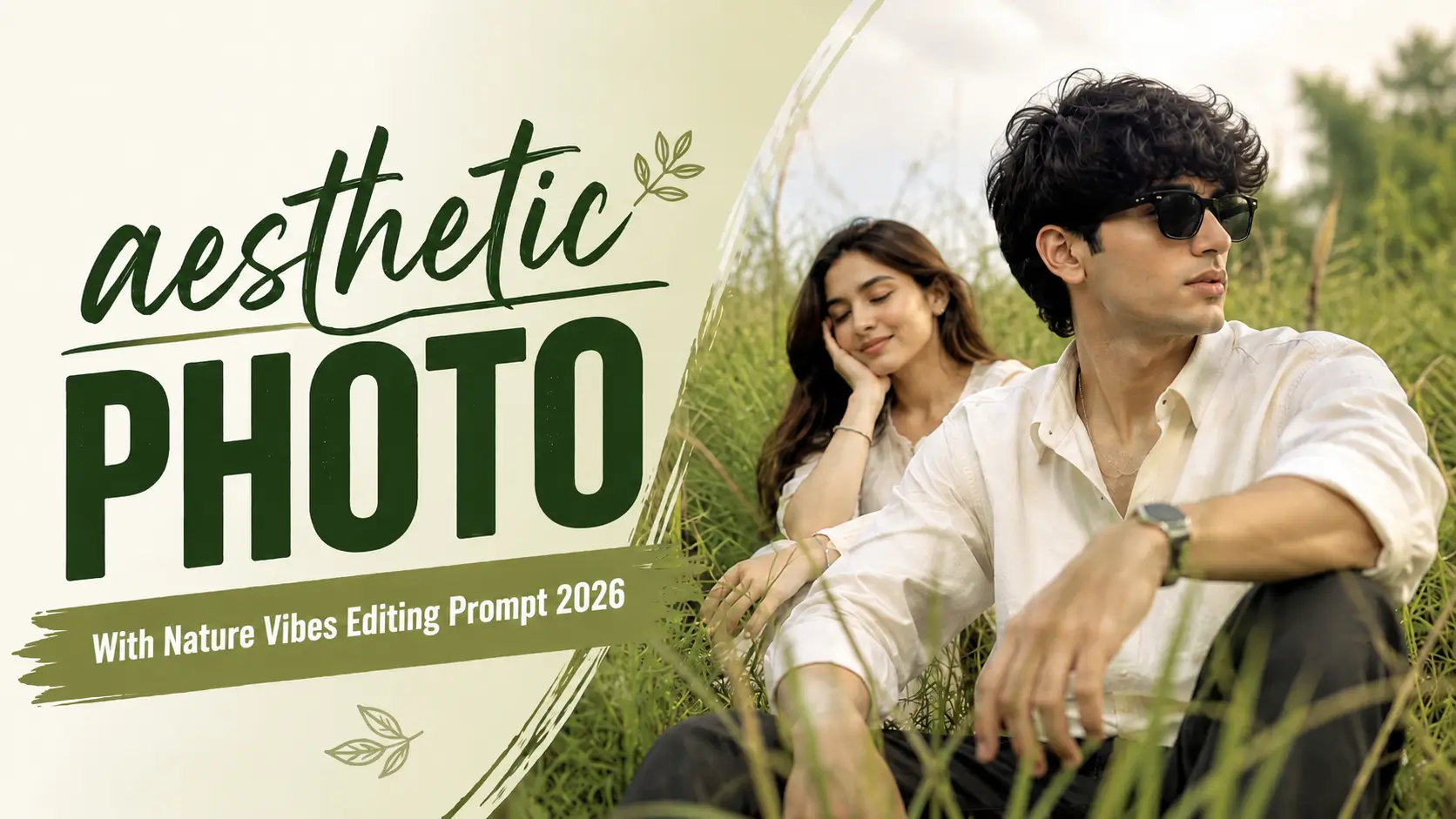
Aesthetic Photo With Nature Vibes is a popular AI photo editing style for creating peaceful, natural, and cinematic portraits. With the right prompt, you can transform your normal photo into a beautiful outdoor scene filled with greenery, trees, flowers, mountains, sunlight, or other natural elements.
The main goal of this editing style is to make your photo look natural rather than heavily edited. We can use AI tools to improve the background, lighting, colors, and overall atmosphere while keeping the person’s original face and identity unchanged.
What Is Aesthetic Photo With Nature Vibes?
Aesthetic Photo With Nature Vibes means creating a portrait that combines your original appearance with a beautiful natural environment. Instead of using a plain background, AI can place you in a forest, garden, flower field, mountain area, or peaceful outdoor location.
The final image usually includes soft natural lighting, green surroundings, realistic shadows, background blur, and a clean cinematic look. This style works especially well for Instagram profile pictures, Reels, WhatsApp DP, Facebook posts, and other social media content. Also check:Toxic Movie Poster Editing Prompts & Late Night Railway Station Alone AI Video Editing Prompt.
Why Nature Vibes Are Popular For AI Photos
Nature-based portraits have a clean and relaxing appearance that works well across different social media platforms. Greenery, sunlight, flowers, mountains, and outdoor backgrounds can make a simple portrait more visually interesting without making it look heavily edited.
The style is also flexible. You can use the same basic prompt and change only the environment, lighting, season, or mood to create completely different images.
Best Aesthetic Photo With Nature Vibes Prompt
AI Prompt
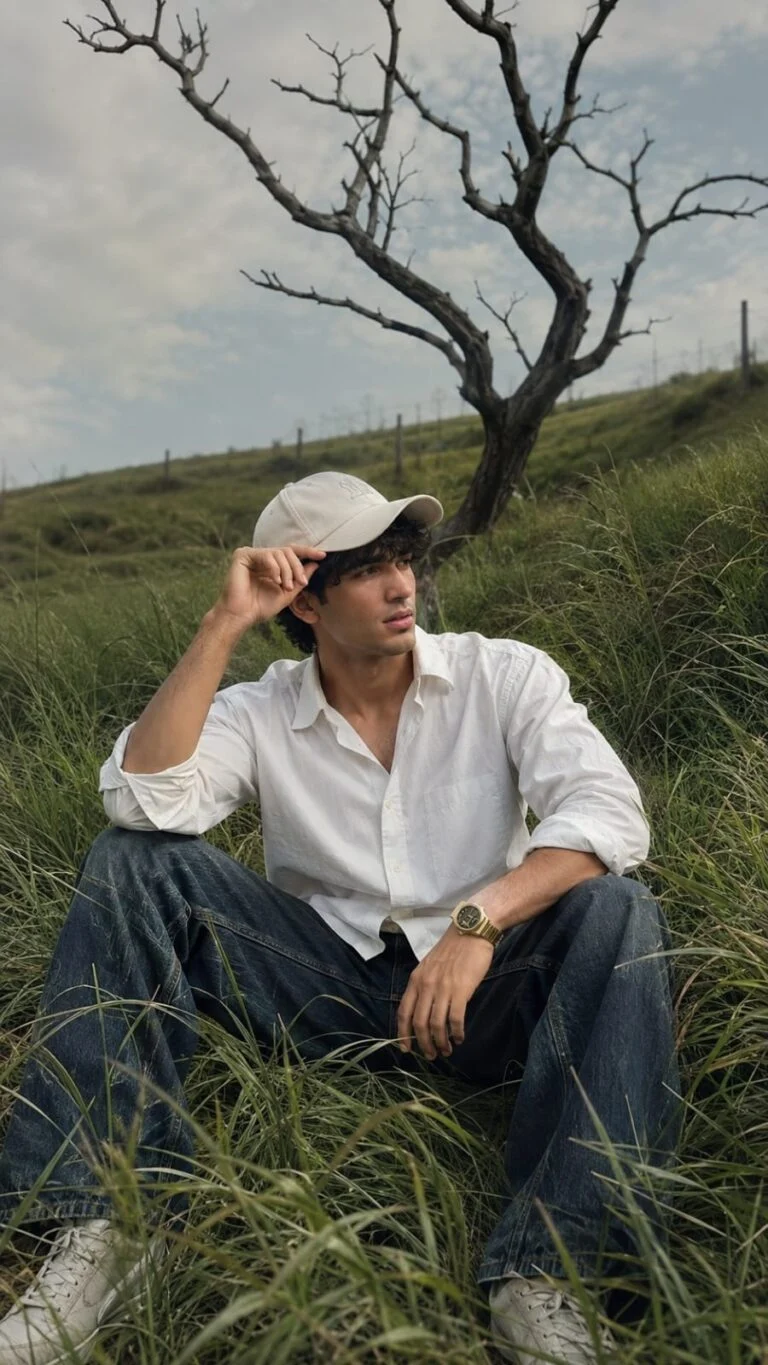
Photorealistic Nature Fashion Portrait Prompt A photorealistic cinematic vertical portrait of a stylish young man sitting casually in the middle of a lush, overgrown green grass field on a gentle hillside. He is surrounded by tall, flowing wild grass that creates a natural layered foreground and immersive countryside atmosphere. The young man is wearing a crisp oversized white button-up shirt with the sleeves casually rolled up, relaxed dark blue loose-fit jeans, clean light-colored sneakers, and a simple white baseball cap. He wears a stylish wristwatch on one wrist. His pose is relaxed and natural, sitting with his legs apart, one hand resting near his knee while the other hand lightly holds the brim of his cap. His head is turned sideways, looking away from the camera with a calm, thoughtful expression. In the background stands a dramatic large leafless tree with twisting dark branches, creating a striking contrast against the soft pale cloudy sky. The rolling green landscape, wild grass, and solitary tree create a peaceful, cinematic, slightly melancholic mood. Soft natural daylight, muted warm tones, realistic shadows, gentle atmospheric haze, detailed grass texture moving naturally in the breeze, realistic fabric folds, natural skin texture, shallow depth of field, DSLR photography, cinematic color grading, premium editorial photography, ultra-realistic, highly detailed, natural human proportions, vertical composition, 9:16 aspect ratio. Use the uploaded reference face as the highest priority. Preserve 100% facial identity accuracy. Keep the exact face shape, jawline, eyes, eyebrows, nose, lips, skin texture, torehead, hairline, and natural proportions unchanged. Do not beautify, stylize, modify, or reinterpret facial features. Maintain the same age, expression, and ethnicity as the reference image. Ensure the face is instantly recognizable as the same person in real life. Ultra-realistic photography, natural skin details, authentic facial structure, no face swapping artifacts, no Al-generated facial alterations, no exaggerated features, no symmetry correction, no cosmetic enhancements. Size 9 :16 .
AI Prompt
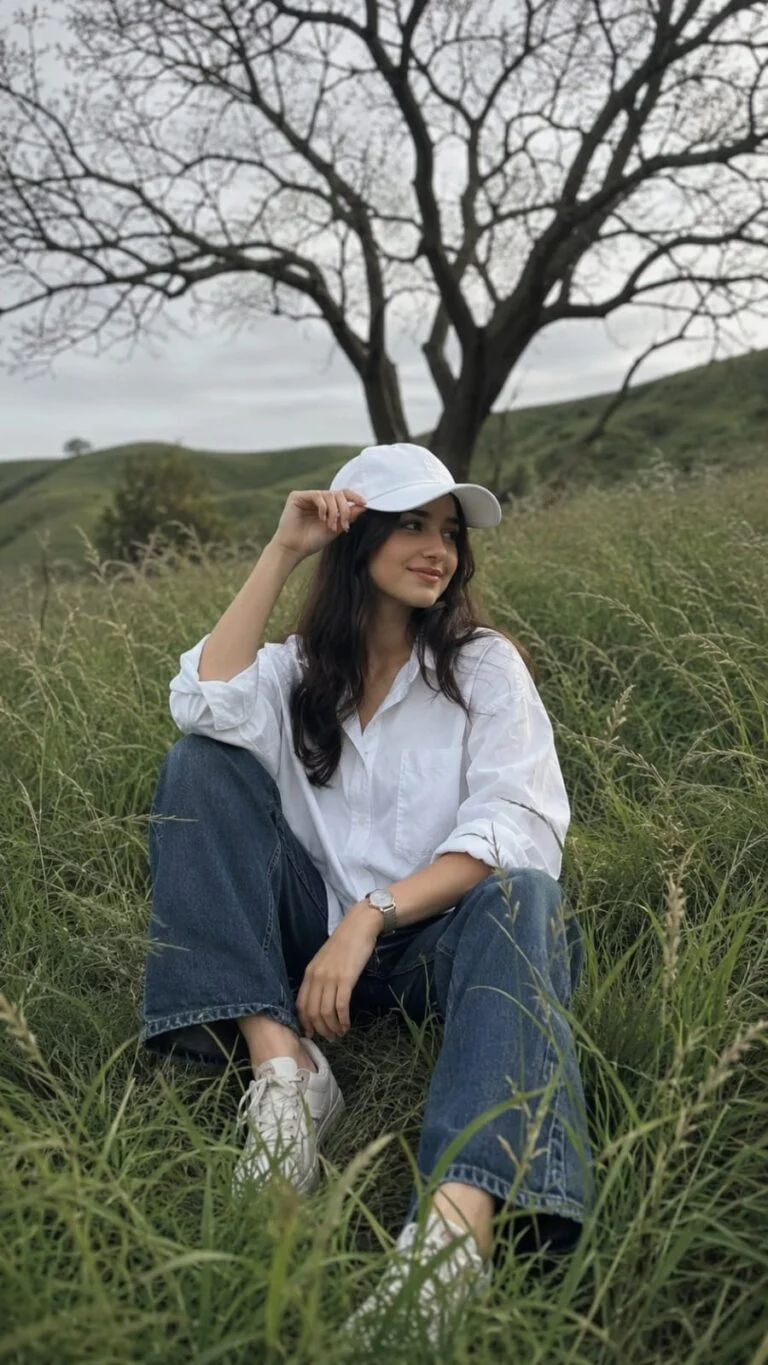
Photorealistic Nature Fashion Portrait Prompt A photorealistic cinematic vertical portrait of a stylish young woman sitting casually in the middle of a lush, overgrown green grass field on a gentle hillside. He is surrounded by tall, flowing wild grass that creates a natural layered foreground and immersive countryside atmosphere. The young woman is wearing a crisp oversized white button-up shirt with the sleeves casually rolled up, relaxed dark blue loose-fit jeans, clean light-colored sneakers, and a simple white baseball cap. He wears a stylish wristwatch on one wrist. His pose is relaxed and natural, sitting with his legs apart, one hand resting near his knee while the other hand lightly holds the brim of his cap. His head is turned sideways, looking away from the camera with a calm, thoughtful expression. In the background stands a dramatic large leafless tree with twisting dark branches, creating a striking contrast against the soft pale cloudy sky. The rolling green landscape, wild grass, and solitary tree create a peaceful, cinematic, slightly melancholic mood. Soft natural daylight, muted warm tones, realistic shadows, gentle atmospheric haze, detailed grass texture moving naturally in the breeze, realistic fabric folds, natural skin texture, shallow depth of field, DSLR photography, cinematic color grading, premium editorial photography, ultra-realistic, highly detailed, natural human proportions, vertical composition, 9:16 aspect ratio. Use the uploaded reference face as the highest priority. Preserve 100% facial identity accuracy. Keep the exact face shape, jawline, eyes, eyebrows, nose, lips, skin texture, torehead, hairline, and natural proportions unchanged. Do not beautify, stylize, modify, or reinterpret facial features. Maintain the same age, expression, and ethnicity as the reference image. Ensure the face is instantly recognizable as the same person in real life. Ultra-realistic photography, natural skin details, authentic facial structure, no face swapping artifacts, no Al-generated facial alterations, no exaggerated features, no symmetry correction, no cosmetic enhancements. Soze 9 : 16
How To Create An Aesthetic Nature Photo With AI
Creating an aesthetic nature photo does not require advanced editing skills. You only need a good-quality photo and a suitable AI editing prompt.
Choose a clear photo: Use a high-resolution image where your face and body are clearly visible.
Upload your photo: Open Gemini, ChatGPT, or another AI image editing tool that supports image uploads.
Add the prompt: Copy the Aesthetic Photo With Nature Vibes prompt and paste it with your image.
Choose your environment: You can ask the AI for a forest, garden, flower field, mountain, or another natural background.
Generate the image: Let the AI create the edited version while keeping your identity unchanged.
Improve the result: If the background or lighting does not look natural, ask the AI to regenerate it with more realistic details.
How To Make AI Nature Photos Look Realistic
Realism is important when creating an AI nature photo. If the person and background have different lighting or perspective, the final image can easily look artificial.
We should use a clear reference image and specifically tell the AI to preserve the original face, skin tone, hairstyle, and body proportions. Natural shadows should also match the direction of the light in the background.
Avoid asking the AI to add too many effects. Simple greenery, realistic sunlight, natural colors, and a subtle depth of field usually produce better results than an image filled with excessive effects.
Tips For Better Aesthetic Nature Photos
Use a high-quality and clear reference photo.
Keep your face clearly visible in the original image.
Choose a natural background that matches the lighting.
Use soft daylight or golden-hour lighting.
Ask for realistic skin texture instead of excessive smoothing.
Keep the background slightly blurred to create depth.
Avoid unrealistic colors and excessive visual effects.
Tell the AI to preserve your original identity.
Use simple natural elements instead of overcrowding the scene.
Generate multiple versions if the first result does not look natural.
Common Problems With AI Nature Photo Editing
Face changes: AI may slightly alter facial features. Add strong identity-preservation instructions to the prompt.
Fake-looking background: Too many details can make the environment look artificial. Keep the scenery simple and realistic.
Wrong lighting: Make sure the subject and background use the same light direction and intensity.
Unnatural skin: Ask for realistic skin texture and avoid excessive beauty enhancement.
Poor body proportions: Use a clear full-body or half-body reference photo and tell the AI to preserve natural proportions.
Over-edited colors: Use natural color grading instead of highly saturated colors
Conclusion
The Aesthetic Photo With Nature Vibes prompt is a simple way to turn an ordinary portrait into a realistic outdoor photograph. Whether you want a green forest, flower garden, mountain view, sunset scene, or peaceful countryside background, AI can create the environment while keeping your original appearance intact.
For the best results, use a clear reference photo, describe the environment accurately, and always include instructions to preserve your facial identity and natural appearance. You can also experiment with different lighting and nature backgrounds until you find the aesthetic that matches your style.
A candid couple photo can feel much more natural than a heavily edited portrait. With AI photo editing, you can now turn an ordinary couple picture into a realistic candid-style photograph with natural expressions, soft lighting, and a beautiful romantic atmosphere. The Candid Couple Photo Editing Prompt 2026 is designed for people who want to…
Navratri is a special time for colorful outfits, traditional jewelry, festive makeup, and beautiful nail designs. If you are preparing for Navratri celebrations in 2026, bridal nail art can add an extra touch of beauty to your overall look. AI photo editing tools make it easier to explore different nail art designs before choosing your…
Raksha Bandhan is a special festival that celebrates the bond between brothers and sisters. In 2026, you can use AI photo editing tools to create beautiful Raksha Bandhan photos without complicated editing skills. With the right Raksha Bandhan AI photo editing prompts, you can transform a normal photo into a festive portrait. You can add…
An Aesthetic Blurry Saree Prompt for Girls helps you create dreamy, elegant, and cinematic portraits using AI image generators. This style combines a beautiful saree, soft background blur, natural lighting, and realistic facial details to produce photos that look like professional DSLR portraits. What Is an Aesthetic Blurry Saree Prompt? An aesthetic blurry saree prompt…
The Dark Aesthetic Music Player Photo Editing Prompt is trending among creators who want to turn a normal portrait into a stylish, emotional, and cinematic music-themed photo. This editing style combines a dark background, music player interface, album artwork, song details, and moody lighting to create a modern social media look. Visit Prompt Seen for…
The Aesthetic Couples Eyes Photo Prompt is a fun way to create romantic and realistic couple photos. It focuses on the eyes, expressions, and small details that make a photo feel personal. This style is becoming popular for Instagram, Pinterest, WhatsApp, and other social platforms. You can create a close-up couple photo with soft light,…