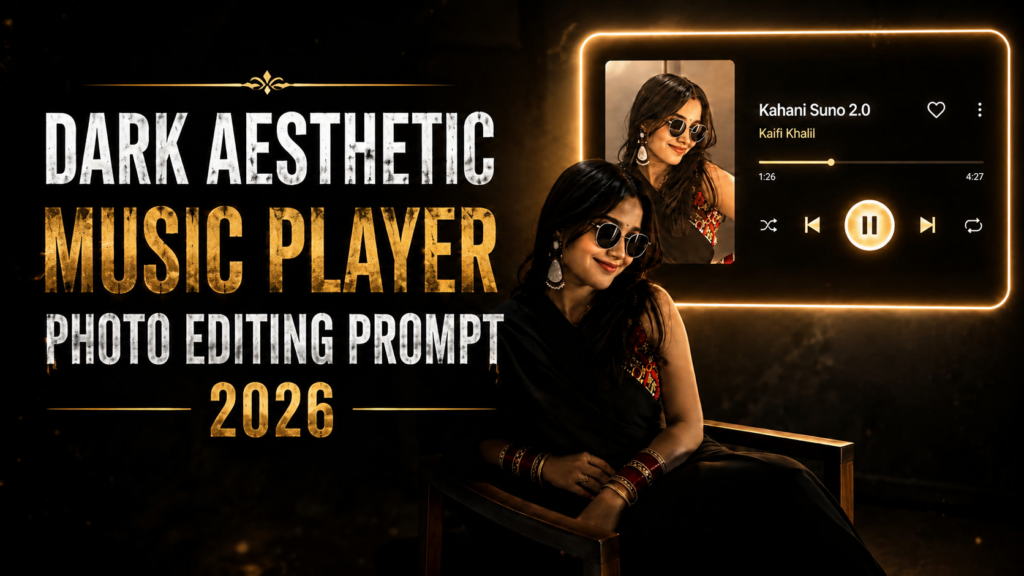
Dark Aesthetic Music Player Photo Editing Prompt 2026
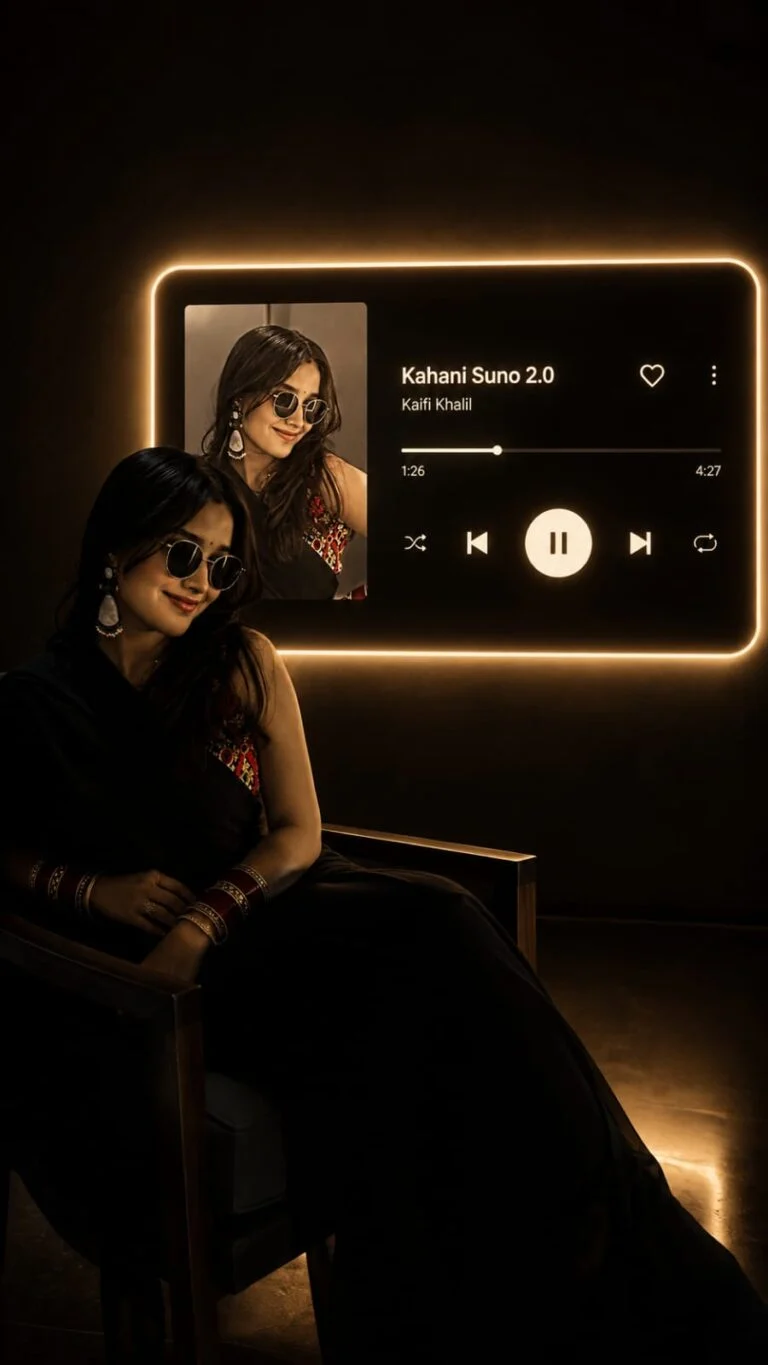
The Dark Aesthetic Music Player Photo Editing Prompt is trending among creators who want to turn a normal portrait into a stylish, emotional, and cinematic music-themed photo. This editing style combines a dark background, music player interface, album artwork, song details, and moody lighting to create a modern social media look. Visit Prompt Seen for more prompts.
You can create this type of image with AI tools such as Gemini, ChatGPT image generation, Midjourney, or other AI photo editors. The main goal is to keep your original appearance natural while adding a realistic music-player design around the photo.
What Is a Dark Aesthetic Music Player Photo?
A dark aesthetic music player photo is an edited portrait that looks like a screenshot from a premium music app. Your photo becomes the main subject, while a music player interface is added around it.
The design usually includes a black or dark grey background, album cover, song title, artist name, progress bar, and music controls. Soft shadows, grain, glow, and cinematic lighting can make the final image look more professional. Also read: Aesthetic Photo With Nature Vibes Editing Prompt & Toxic Movie Poster Editing Prompts.
This style works especially well for Instagram posts, WhatsApp status, profile pictures, and story edits.
Best Dark Aesthetic Music Player Photo Editing Prompt
How to Create Dark Aesthetic Music Player Photos
Why This Trend Is Popular
Music and photography naturally work well together because a song can communicate the mood behind a picture. By combining a portrait with a realistic music-player interface, you can make a simple photo feel more personal and cinematic.
The dark design also works well on social media because it gives the image a premium appearance without requiring complicated editing skills. With a single reference photo and a detailed AI prompt, you can create a professional-looking result in a few steps.
Tips for Better Dark Aesthetic Photos
Conclusion
The Dark Aesthetic Music Player Photo Editing Prompt is a simple way to transform an ordinary portrait into a stylish music-themed edit. You can change the song, colors, album artwork, lighting, and background to create different versions for Instagram, TikTok, WhatsApp, or other social platforms.
For the best result, focus on identity preservation, realistic lighting, clean UI design, and a balanced dark aesthetic. A simple and realistic edit will usually look much better than one filled with too many effects.