Trending Anime Flashlight AI Photo Editing Prompt 2026
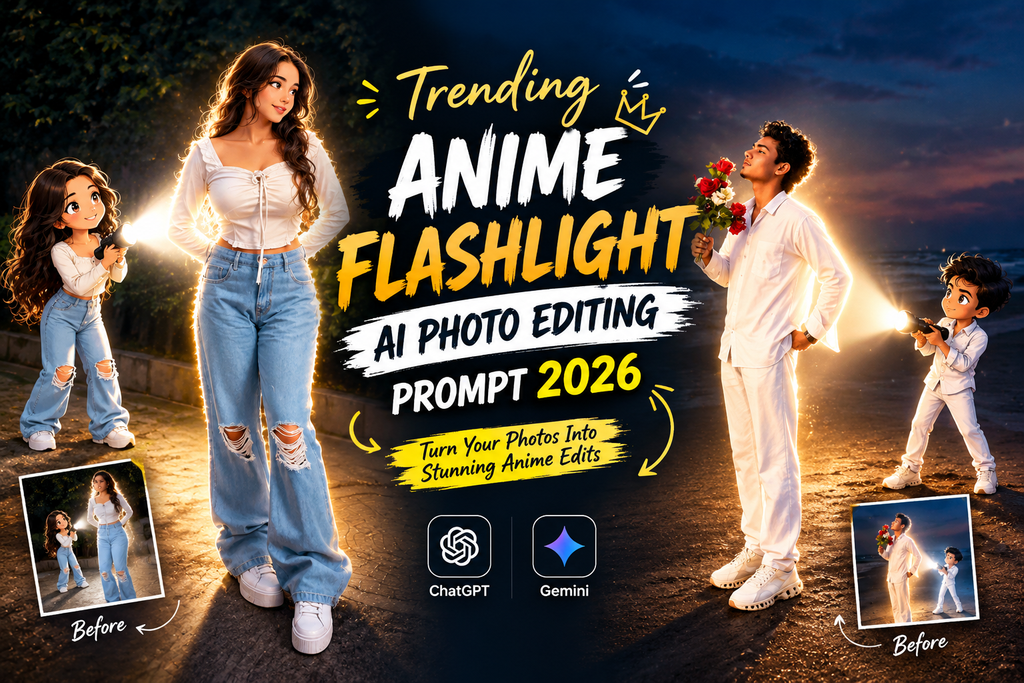
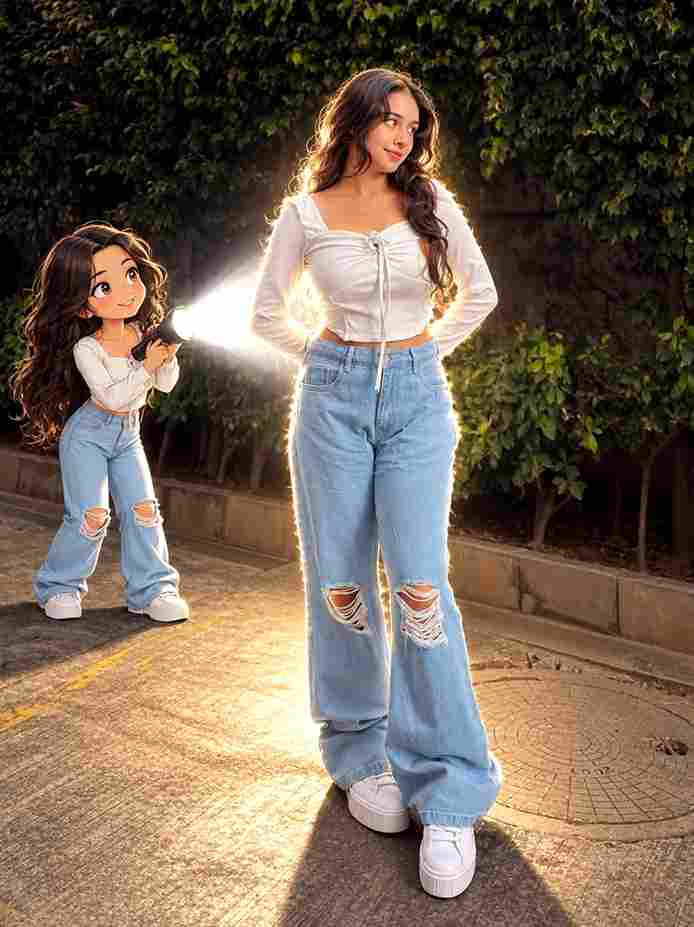
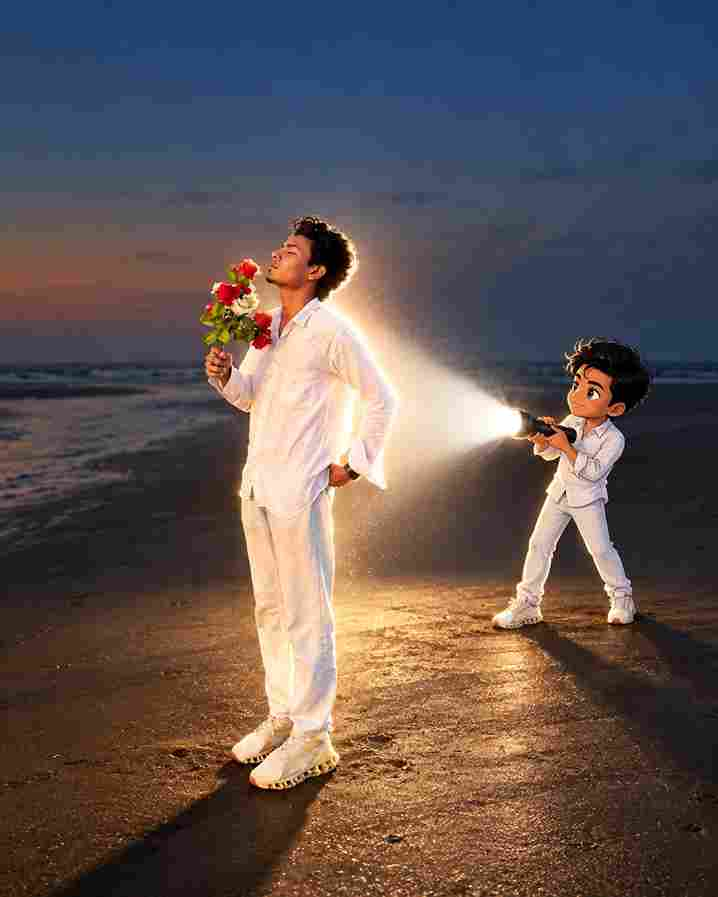
The Anime Flashlight AI Photo Editing Prompt 2026 is a creative way to transform a normal portrait into a dramatic, anime-inspired image. This trend combines a dark environment with a powerful flashlight beam, glowing highlights, cinematic shadows, and detailed anime-style visuals.
You can create this look with AI tools such as ChatGPT and Gemini. Just upload your photo, add the prompt, and let the AI create the edit while keeping your main facial features recognizable.
What Makes the Anime Flashlight AI Photo Trend Different?
This trend stands out because of its strong use of light and darkness. Instead of simply applying an anime filter, the AI creates a complete visual scene around the person.
The flashlight becomes the main light source, producing bright highlights on the face and clothes while leaving parts of the background darker. This creates a cinematic appearance similar to an anime movie scene.
Why Are People Trying This Flashlight Anime Style?
There are several reasons why this photo editing style is becoming popular:
- It gives ordinary portraits a completely new appearance.
- The flashlight creates a strong cinematic effect.
- Anime details make the image more creative and attractive.
- Dark backgrounds help the subject stand out.
- The style works for profile pictures and social media posts.
- It can be created without professional editing software.
- You can easily change the mood with different lighting.
- The same prompt can be adapted for different photos.
Copy This Viral Anime Flashlight AI Prompt
Upload your photo first and then use this detailed prompt:
How to Create an Anime Flashlight AI Photo
1. Choose a Clear Photo
Select a high-quality portrait where your face is clearly visible. A front-facing or slightly side-facing photo usually gives better results.
2. Upload Your Photo
Open your preferred AI image editing tool and upload the picture you want to edit. You can also try the Candid Couple Photo Editing Prompt & Aesthetic Couples Eyes Photo Prompt
3. Add the Prompt
Copy the Anime Flashlight AI Photo Editing Prompt and paste it into the AI editor. You can also mention the type of background, outfit, or lighting you want.
4. Generate the Image
Let the AI process your image. If the first result does not look right, ask the AI to make the flashlight brighter, reduce the anime effect, or improve the facial details.
5. Download and Share
After getting your favorite result, save the image and use it as a profile picture, Instagram post, Facebook photo, or other social media content.
How to Make the Result Look More Realistic
A common problem with anime AI edits is that the image can become too cartoon-like. If you want a more realistic result, add instructions such as:
- Preserve natural skin texture.
- Keep realistic facial proportions.
- Avoid excessive face smoothing.
- Keep individual hair strands visible.
- Use realistic light reflections.
- Maintain natural hands and fingers.
- Do not change the original hairstyle unnecessarily.
- Keep clothing textures detailed.
- Avoid oversized anime eyes.
- Use subtle anime styling instead of a full cartoon transformation.
Best Ways to Use Your Finished Image
Once you create the final image, you can use it for:
- Instagram profile pictures
- Facebook profile photos
- TikTok profile images
- YouTube thumbnails
- Anime-themed posts
- WhatsApp profile pictures
- Social media stories
- Gaming profile images
- Creative wallpapers
Simple Tricks to Make Your Edit Realistic
- Use a dark scene
- Keep the face visible
- Use one main light
- Add subtle atmosphere
- Avoid excessive effects
- Keep your identity
Final Thoughts
The Anime Flashlight AI Photo Editing Prompt 2026 combines anime-inspired creativity with dramatic photography. The dark environment, strong flashlight, cinematic shadows, and detailed facial styling can make a simple portrait look completely different.
For the most natural result, start with a clear original photo and focus on identity preservation, realistic lighting, and subtle anime details. You can then experiment with different backgrounds and flashlight positions to create your own style.